By Daily Carry Lab. Primary documentation checked October 15, 2026 (Pacific).
Affiliate disclosure: As an Amazon Associate, Daily Carry Lab earns from qualifying purchases. Retailer links may earn a commission at no extra cost to you.
Research disclosure: We have not tested these products. We select exact models using manufacturer documentation, documented compatibility and the practical decisions below. No DCL ratings, measured results or health outcomes are claimed.
For a supported iPad Air, compare Apple Magic Keyboard for iPad Air 11-inch, US English White (MDFV4LL/A) with Logitech Combo Touch for iPad Air 11-inch, Oxford Grey US QWERTY (920-012626). Apple uses a floating cantilever design; Logitech combines a detachable keyboard with a case and kickstand. Choose by exact iPad compatibility and the surface you will work on.
We selected two documented Smart Connector designs to compare integrated travel setups without introducing a separate Bluetooth-keyboard battery. This is not a claim that either case fits every 11-inch iPad or feels stable on every lap.
Exact compatibility comes before the keyboard
| Specification | Apple MDFV4LL/A | Logitech 920-012626 |
|---|---|---|
| Exact configuration | 11-inch iPad Air Magic Keyboard; White, US English | 11-inch Air Combo Touch; Oxford Grey, US QWERTY |
| Supported iPads in current documentation | Air 11-inch M2/M3/M4; Air 4th/5th generation | Air 11-inch M2/M3/M4 and Air 5th generation in the selected configuration |
| Connection and power | Smart Connector; no Bluetooth pairing required | Smart Connector; powered by iPad |
| Trackpad/support | Glass trackpad; floating cantilever | Trackpad; detachable keyboard and kickstand |
| Case weight | Not listed in the reviewed Apple primary specification | 495 g for this 11-inch configuration; not the iPad-plus-case total |
| Charging arrangement | Keyboard USB-C connector supports iPad pass-through charging | No separate keyboard charging; iPad USB-C port remains accessible |
Sources: Apple compatibility and technical specification, exact Apple SKU, Logitech product specifications. Logitech’s selected SKU and weight are bound to the 11-inch Air entry; other platform entries have different dimensions and weights.
Apple: a cantilever setup with a charging connector
The Apple design attaches magnetically and uses Smart Connector for power and data. The documented 14-key function row and trackpad provide controls without a separate mouse. Its USB-C connector charges the iPad while leaving the iPad’s own connector available for accessories. Do not assume that the keyboard’s charging connector is a data hub.
Drawback: Apple does not list the keyboard’s weight in the reviewed primary specification. We leave it unknown rather than turn a retailer’s package/shipping weight into a product measurement. Ask for an exact-unit weight if your packed-weight limit depends on it. The front-and-back protection claim is not a drop-resistance certification. Apple’s Smart Connector explanation.
Combo Touch: detach the keyboard and retain the case
Logitech documents a detachable keyboard, adjustable kickstand and backlit keys. This arrangement is useful to compare if you switch between typing and holding the iPad to read or sketch: the keyboard can be removed while the case stays on. Its 495 g published weight is for the selected keyboard-case configuration, before adding your iPad.
Drawback: a kickstand needs supporting surface behind the tablet. Check the usable depth of your tray or desk with the keyboard deployed; we have not tested the footprint or lap stability. Do not borrow the 685.9 g weight of the 13-inch configuration or the 574 g figure of a different Air 4th/5th-generation version. Logitech specifications and platform selector.
Run these checks before buying
| Compatibility check | Action | Why it matters |
|---|---|---|
| Exact iPad identity | Read model/generation in Settings and match the selected SKU | “11-inch” alone is insufficient |
| Operating system | Apple lists iPadOS 18.3 or later for this Magic Keyboard | Physical attachment is not the entire requirement |
| Layout and colour | Confirm US QWERTY versus another regional layout | Product families contain different orderable variants |
| Tray or desk depth | Check keyboard and support geometry in typing position | Closed-case dimensions do not prove deployed fit |
| Pencil and USB-C accessories | Check storage/charging clearances with your exact kit | A compatible keyboard does not certify all add-ons |
The selected Logitech 11-inch SKU’s current compatibility list does not include Air 4th generation. A different Combo Touch entry supports Air 4th/5th generation; do not transfer that list to 920-012626. Neither selected case is documented here for an iPad Pro, base iPad or iPad mini. See our iPad stylus guide for the separate Pencil compatibility decision.
Budget for the setup you will use
| Need | Starting decision | Budget status on October 15 |
|---|---|---|
| Existing keyboard already works | Keep it and verify your current case | No replacement required |
| Attached cantilever and pass-through charging | Compare exact Apple MDFV4LL/A | Delivered total unknown |
| Removable keyboard plus protective case | Compare exact Logitech 920-012626 | Delivered total unknown |
| More flexible device switching | Compare a separate travel keyboard and support | Complete setup total unknown |
Our travel-keyboard guide covers the separate-keyboard route. For an attached case, exact model fit and workable support geometry should settle the decision before a feature count does.
An unresponsive keyboard does not yet justify replacement
For the selected Apple MDFV4LL/A, distinguish exact compatibility from an interrupted Smart Connector connection before spending on another case. Apple’s keyboard connection troubleshooting, dated March 10 and checked October 22, 2026, starts with compatible hardware and current iPadOS. It explicitly gives iPadOS 18.3 or later for Magic Keyboard for iPad Air. The lower requirement stated for other Magic Keyboard devices must not replace this Air requirement.
| Stage in your decision | Documented check for the Apple keyboard | Cost or practical implication |
|---|---|---|
| Keyboard is physically attached but does not type | Verify the exact iPad and keyboard pair; check iPadOS | A magnet attaching is not proof of compatibility |
| Correct model and software, still unresponsive | Disconnect and clean the Smart Connector on both parts with a soft, lint-free cloth | Try the documented connection check before ordering hardware |
| Another cover is fitted | Remove the other iPad case or cover before reconnecting Magic Keyboard | Do not stack cases and assume the contacts align |
| No response after reconnection | Restart the iPad as Apple’s procedure directs | Persistent failure still needs further support assessment |
These steps support a keep-versus-replace decision. They do not diagnose a broken connector, establish liquid damage or promise recovery. Do not scrape contacts, introduce a cleaner not specified by the manufacturer, or force a case that prevents proper attachment. Apple supplies the connection sequence; DCL has not performed it or measured how often it works.
The two exact keyboards in this guide remain different choices. This Apple procedure is not a new Logitech Combo Touch troubleshooting certification, nor evidence that the detachable Logitech keyboard works remotely through Bluetooth. Follow the selected Logitech model’s own support instructions when assessing it.
Before comparing replacement totals, determine whether you need a new keyboard, a different case arrangement or simply the supported software/connection setup. Current repair charges, replacement cost and case costs are unknown. Preserve the chosen regional layout and exact SKU if replacement is necessary. A functioning connection also does not resolve the deployed tray depth, packed weight or Pencil clearance checks above; rehearse the complete setup you intend to carry.
Check software controls before paying for a different key layout
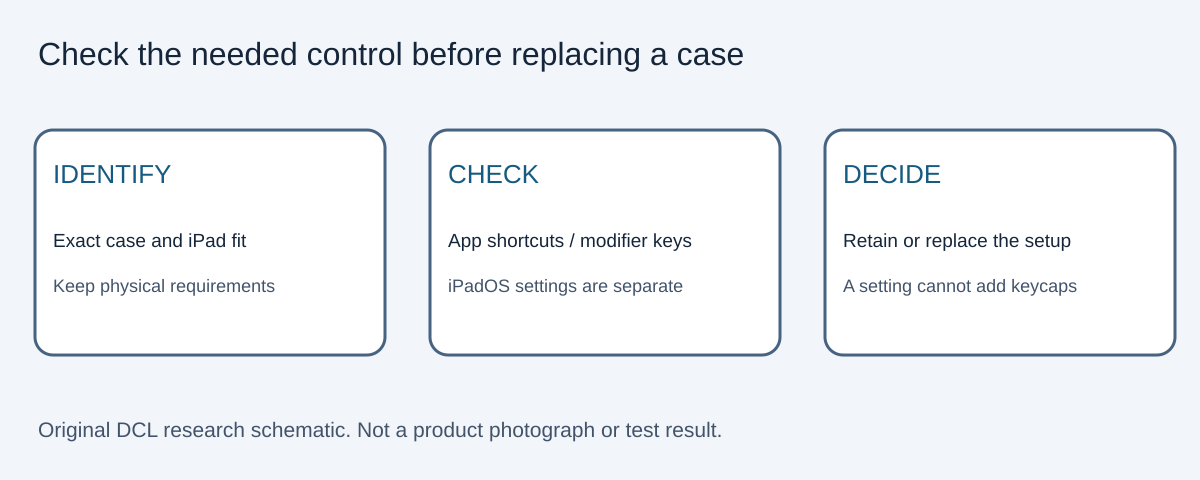
A desired shortcut does not always require another keyboard case. Apple’s iPadOS 26 external-keyboard guide, checked October 30, 2026, documents system shortcuts and modifier-key settings for Apple external keyboards. Apply it to the selected Apple keyboard; this source alone does not certify every Logitech control.
| What you need | Documented Apple check | Buying consequence |
|---|---|---|
| Discover commands in your app | Hold Command to view its shortcuts | Check the app before treating a missing labelled key as missing functionality |
| Move between open apps | Command-Tab | Try the documented command before buying for a dedicated app-switch key |
| Change a modifier’s action | Settings, General, Keyboard, Hardware Keyboard, Modifier Keys | A remapping may suit your existing setup |
| Broader keyboard navigation | Review Accessibility, Keyboards, Full Keyboard Access | This is a separate navigation setting, not a replacement case |
These checks can change a keep-versus-replace decision, but cannot add physical keys, alter the printed regional layout or make an incompatible case fit. They also do not prove that your particular app supports every command you want. DCL has not tested the workflow. A setting may avoid a replacement purchase; current case and accessory totals remain unknown. Confirm physical support and charging requirements from the comparison above, then assess the specific control you need. Do not buy on the assumption that another function row automatically changes app support.
Shop the researched models
These Amazon links are affiliate links. Daily Carry Lab may earn a commission from qualifying purchases. Match the model and included contents to your needs; this guide is based on manufacturer-source research, without hands-on testing.
-
Apple Magic Keyboard for iPad Air 11-inch (MDFV4LL/A)
Check Apple Magic Keyboard for iPad Air 11-inch (MDFV4LL/A) on Amazon
Sources and limits
This guide compares published specifications and source documentation. Daily Carry Lab has not performed hands-on tests of the products in this guide. Consult the dated sources and verify the exact model and current terms before buying.
Related guides
Portable document scanners: choose the feed, power and file workflow
Compare Epson ES-50 and ES-60W simplex workflows with discontinued Brother DS-740D duplex limits, USB power and current software checks.
USB-C Ethernet adapters: match the host, driver and network rate
Compare TP-Link, Plugable and Belkin INC012 Ethernet adapters by host connector, link rate, tether reach and complete kit. Research; throughput untested.
Single-port 65W laptop chargers: profiles, plugs and cable limits
Compare Anker A2663 and Supertiny 65W for one USB-C laptop, including PPS evidence, plug variants and cable limits.
E Ink note-taking tablets: Scribe, reMarkable or BOOX?
Compare exact Kindle Scribe, reMarkable Paper Pro and BOOX Go10.3 Gen II models by pens, file export, lighting and subscription limits.